Flightsky: Flight Tracker 3D
- 4.7
- Rating
- 1.00M
- Installs
- Free
- Price

 Analysis by App-foxy
I first looked at Flightsky - Flight Tracker with a simple travel problem in mind: I wanted one place to check a flight, explore possible trips, and compare choices without jumping between several travel pages. That makes sense for an app in the Travel & Local category, but it also sets a high standard. A flight tool has to be quick when I am rushing through an airport, clear when plans change, and useful before I have even decided where to go.
After spending time with it, I see Flightsky as a focused companion for the search-and-check part of travel. It is free to download, carries an Everyone age rating, and comes from Ocean Float Mobile. Its public reception is encouraging, with a 4.7 average from around 18 thousand ratings and more than 500 thousand installs. Those figures suggest that the app has found an audience, although popularity alone does not tell me whether it suits every kind of traveler.
The most important thing to understand is its role. I would not treat it as a complete replacement for an airline’s own app, a booking service, or an airport information screen. I see it instead as a practical layer between those tools: a place to begin a search, compare possibilities, and keep an eye on a flight while I work out what to do next.
You May Also Like

 Blood Strike: 2.5 Anniversary
Blood Strike’s Loadouts Turn Every Drop Into a Tactical Gamble
A close look at Blood Strike’s custom loadouts: how fast access to signature weapons reshapes its battle royale rhythm, rewards preparation, and narrows the gap between fights.

 Pandora - Music & Podcasts
Pandora’s Music Is Easy to Start, but Harder to Recover
Pandora’s strength is its low-effort path from a seed to a station. Its weak spot is how much confidence it asks you to place in connection, setup, and quiet recovery.

 8 Ball Pool
 Is Built on Rivalries, Rematches, and Routine
A close look at the rivalries, rematches, shared routines, and unanswered safety questions that turn a quick pool match into a persistent mobile community.

 Samsung Music
’s Quiet Strength Is Playing What You Already Own
Its reach comes less from spectacle than from dependable access to a personal library. That simplicity is both the app’s strongest retention engine and its ceiling.

 AccuWeather: Weather Radar
AccuWeather Review: A Quick, Clear Forecast for Everyday Decisions
For everyday plans, the best forecast is the one you can understand quickly. AccuWeather makes rain timing, radar, and local conditions easy to act on, with a few trade-offs.

 Hill Climb Racing
Why Hill Climb Racing Still Turns Crashes Into One More Run
A tiny car, a bumpy hill and one more upgrade: Hill Climb Racing keeps resurfacing because its simple chaos makes every near-miss feel personal.
More From Our News Desk



From a vague travel idea to a usable flight plan
I find the most useful starting point is to separate “I might travel” from “I need to follow this flight.” Flightsky can help me turn the first thought into a shortlist, but a shortlist is only useful when it reflects my real constraints—arrival time, connections, and how much flexibility I have. That makes the next step less about collecting options and more about judging which ones genuinely fit the trip.
Starting with the situation I actually have
Many flight searches begin with incomplete information. I may know the departure city and destination but not the best date. I may be checking a relative’s arrival without having a booking reference. Or I may simply want to see whether a proposed trip is realistic before committing money or time. Flightsky is most useful in these early moments because it brings flight tracking, trip search, and live comparison into the same travel-oriented workflow.
That combination changes how I use it. Instead of opening a tracker only after purchasing a ticket, I can begin with a broad idea, inspect available options, and then move toward a more concrete plan. The app’s store summary describes global flight tracking and real-time comparison, and in practice that positioning makes it feel more like a travel starting point than a narrow arrival-board utility.
A good first habit is to decide what question I am asking before searching. “Which flight should I buy?” needs a different approach from “Has this flight changed?” or “What choices do I have for this trip?” Keeping that distinction in mind prevents me from expecting one screen to solve every travel problem.
Searching without losing the original goal
When I search for a trip, I pay attention to the whole journey rather than immediately choosing the first attractive option. A lower fare or convenient departure can hide an awkward arrival time, an inconvenient connection, or a schedule that does not fit the rest of the day. Flightsky is valuable here because its comparison purpose encourages me to look at alternatives side by side instead of stopping at the first result.
My preferred workflow is to begin broadly, narrow the choices according to the actual purpose of the trip, and then inspect the flight I might track. For a work trip, arrival time may matter more than a small saving. For a family visit, a simpler itinerary can be worth more than a theoretically better price. For a short break, an early departure may waste part of the first day. The app cannot make those personal decisions for me, but it gives me a place to frame them.
One useful, less obvious habit is to use comparison as a planning check rather than as a final buying decision. I can identify a sensible option in Flightsky, then verify the details through the airline or booking provider before paying. This creates a clean handoff: Flightsky helps me understand the available route, while the official source remains the place I trust for purchase conditions, passenger details, and the final booking record.
Turning a search into a tracked trip
Once I have a specific flight in mind, the workflow changes from exploration to monitoring. This is where the app becomes more useful during the hours around travel. Instead of repeatedly searching from scratch, I can return to the flight-tracking part of the experience and use the flight as the object of attention.
I find this separation helpful because searching and tracking have different mental demands. Search is about alternatives; tracking is about one confirmed movement. Mixing the two can make a travel app feel noisy, especially when I am already dealing with luggage, transport, or messages from other passengers. Flightsky’s appeal is that it supports both stages without forcing me to treat them as the same task.
A practical example is picking someone up from the airport. Before leaving home, I can search for the relevant flight and check its current situation. Rather than arriving at the airport based only on the original schedule, I can use the latest information available in the app to decide when to leave. That does not remove every uncertainty, but it can prevent a needless wait when a flight is running late.
Making the handoff to other people
Travel information rarely stays with the person who searched for it. I may need to tell a partner when to leave, update a colleague about my arrival, or coordinate a ride with a friend. Flightsky is most valuable in this stage when I treat it as my reference point, then pass along the relevant flight details in a simple message rather than assuming everyone else is watching the same screen.
This is an important trade-off. A tracker can help me stay informed, but it does not automatically solve group coordination. If a family member is collecting me, I still need to communicate the practical outcome: “Please leave later,” “I should arrive around the planned time,” or “Wait for my message after landing.” The app supplies the information; people still need to agree on what action follows.
I also prefer to keep the airline’s confirmation and the app’s tracking view conceptually separate. The tracking view can help me follow movement and timing, while the booking confirmation remains the authority for the ticket itself. That distinction is especially useful when several travelers are involved or when a trip includes more than one flight.
What the result looks like in everyday use
The result I get from Flightsky is not simply a list of flights. The better outcome is reduced uncertainty at several points in the journey. Before booking, I can compare routes and schedules. After choosing, I can follow the flight. Before meeting someone, I can use the latest available status to make a more sensible plan.
Imagine a normal weekday evening. A friend is flying in, and I need to decide whether to leave work immediately or finish one last task. I search for the flight, check its current status, and compare that information with the travel time to the airport. If the flight is progressing as expected, I can leave at a reasonable moment. If the situation has changed, I can adjust the handoff instead of discovering the problem only after reaching the terminal.
That scenario shows the app’s strongest quality: it connects information to a decision. Many travel tools display details, but the real value comes from using those details to choose when to depart, whom to contact, or whether an alternative itinerary deserves attention.
Where the flow becomes less comfortable
The workflow can break when I expect Flightsky to be the final authority for every travel detail. Flight information may change quickly, and a comparison view is not the same thing as a confirmed reservation. I would always recheck important information with the airline or booking provider, particularly before paying, heading to the airport, or making a non-refundable connection.
Another point of friction is the difference between live information and useful information. Seeing a current status is helpful, but it does not automatically explain what I should do about baggage, check-in, terminal changes, immigration, or a missed connection. Those questions often belong to the airline or airport. Flightsky can support my decision-making, but it cannot replace the operational instructions attached to my booking.
There is also a cost consideration. The app is free, but it includes in-app purchases ranging from $4.99 to $59.99 per item. That does not make the free starting point unattractive, yet I would inspect any paid option carefully before buying. A frequent traveler may find extra value in a paid feature, while an occasional traveler may only need the basic search and tracking experience.
How it compares with the usual alternatives
The usual alternatives each handle one part of this process well. An airline app is normally the strongest place for a passenger’s booking, check-in instructions, and airline-specific updates. An airport website or terminal display is better for local operational information. A booking site may provide broader purchasing tools. A general calendar or messaging app is better for sharing the final plan with other people.
Flightsky sits between those choices. Its advantage is convenience when I want to move from searching to comparing to tracking without changing the basic travel context. That is particularly useful when I am still deciding what to book or when I am monitoring a flight that matters to someone else.
Its limitation is that it may not be the best single source for a complex itinerary. If my trip involves several airlines, separate tickets, unusual connections, or strict booking requirements, I would use Flightsky as a planning aid and keep the official airline and reservation records close at hand. For a straightforward flight, the unified workflow is more compelling. For complicated travel, the handoff between services becomes more important than the convenience of one app.
Small habits that make the app more useful
I would use three habits with Flightsky. First, I would search with the purpose of the trip in mind instead of judging options only by price or departure time. Second, I would check a tracked flight before leaving for the airport or pickup point, not only after a delay becomes obvious. Third, I would pass the practical consequence to the people involved rather than forwarding raw flight information and expecting them to interpret it.
A fourth habit is to keep the app’s role clear during a purchase. I can use its comparison view to shortlist an itinerary, but I would complete the important booking checks through the relevant official channel. This avoids a common travel mistake: confusing a useful search result with proof that every passenger, baggage rule, connection, and payment detail is settled.
These habits also reveal who should skip the app. If I only ever fly once in a long while and already rely comfortably on the airline’s app, Flightsky may add another step rather than remove one. It is also not the right choice for someone looking for a full trip organizer, detailed airport guidance, or a replacement for airline customer support.
Who will get the most from it
I think Flightsky is best for travelers who compare before booking, people who regularly monitor flights for friends or family, and anyone who wants a quick travel-focused view instead of opening several unrelated tools. It can also suit a user who likes to make decisions from current information rather than relying entirely on an old departure schedule.
The current release is version 1.5.2, and the app supports devices running Android 7.0 or later. That makes it approachable for people who are not using a recent phone, although the quality of the experience will still depend on the device and the reliability of the connection available during travel.
Because it is rated for Everyone, I would consider it suitable for a household where different people may need to check the same journey. Still, younger users may need an adult to handle booking payments and interpret travel changes. The age rating describes accessibility, not the complexity of the decisions surrounding a flight.
My recommendation after following the full workflow
Flightsky succeeds when I use it as a bridge: I start with an uncertain travel idea, compare realistic options, select a flight to watch, and then use the changing information to coordinate a real-world action. That flow feels more useful than a basic tracker because it begins before the ticket is purchased and continues into the practical planning around departure or arrival.
I would recommend trying it if you want a free flight-focused tool from Ocean Float Mobile that combines trip searching, comparison, and tracking in one place. The strong user response, including a 4.7 average from around 18 thousand ratings, gives me confidence that it is worth testing rather than dismissing as another generic travel utility.
My recommendation comes with a clear boundary: I would not let it replace the airline’s own information for final booking, passenger-specific instructions, or urgent operational decisions. I would also think carefully before paying for an in-app purchase, especially if I only travel occasionally. Used with those limits in mind, Flightsky - Flight Tracker is a practical companion for turning flight information into better timing, better comparisons, and fewer avoidable surprises.
FAQs for Flightsky: Flight Tracker 3D
01What features does Flightsky - Flight Tracker offer?
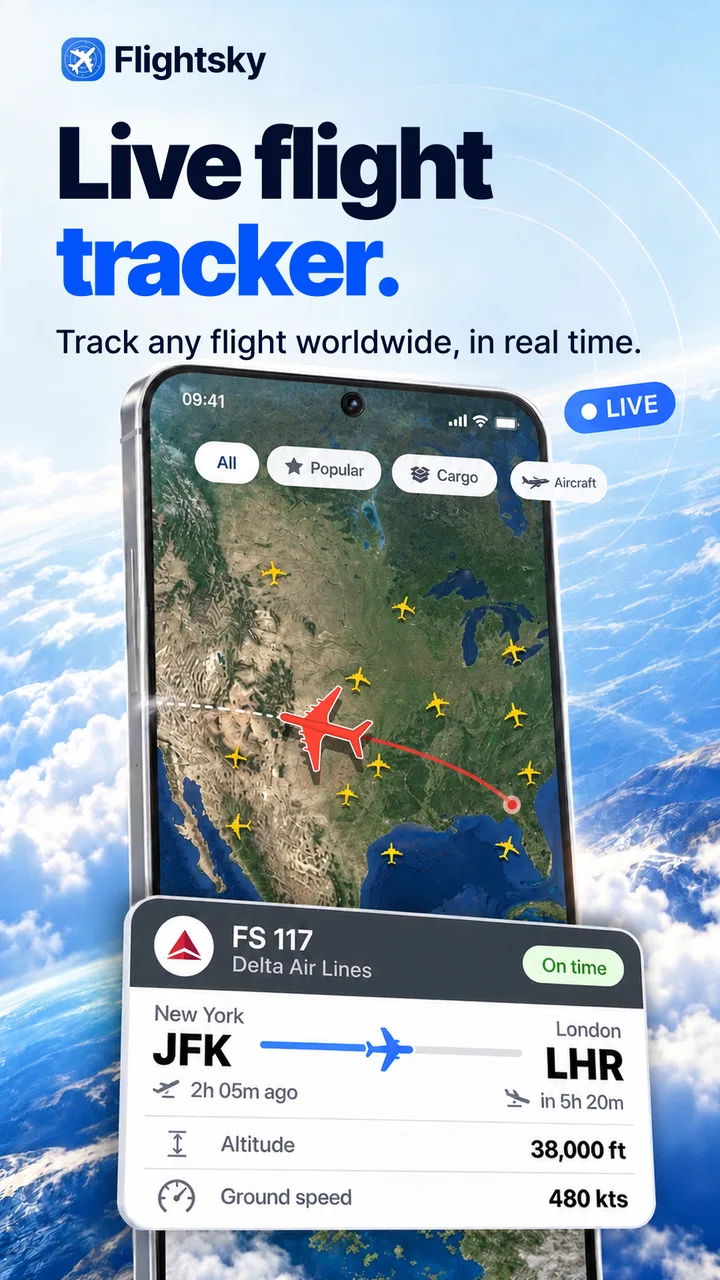
Flightsky - Flight Tracker provides real-time flight updates, including departure and arrival times, gate changes, and delays. It also offers live tracking on a map, airport information, and notifications for significant changes. The app is designed to help travelers stay informed about their flights and plan accordingly.
02Is Flightsky - Flight Tracker available for both Android and iOS devices?
Yes, Flightsky - Flight Tracker is available for download on both Android and iOS platforms. You can find it on the Google Play Store for Android devices and the App Store for iOS devices. Ensure your device meets the minimum system requirements for optimal performance.
03Does Flightsky - Flight Tracker require an internet connection?
Yes, Flightsky - Flight Tracker requires an active internet connection to provide real-time updates and notifications. While some information might be cached, live tracking and updates on flight status need to be accessed online to ensure accuracy and timeliness.
04Are there any in-app purchases or subscriptions in Flightsky - Flight Tracker?
Flightsky - Flight Tracker offers a free version with basic features. However, to access advanced functionalities like ad-free usage, priority alerts, or premium customer support, users may need to make in-app purchases or subscribe to a premium plan. Check the app's store page for specific pricing details.
05How accurate is the flight tracking information in Flightsky?
Flightsky - Flight Tracker sources its data from reliable aviation information systems, ensuring high accuracy for flight tracking. However, users should be aware that sudden changes at airports or airlines might not reflect immediately. It's always a good idea to double-check directly with airlines for critical updates.
Pros
- User-friendly interface for easy navigation.
- Real-time flight status updates.
- Supports multiple airlines worldwide.
- Customizable notifications for flight changes.
- Detailed airport information available.
Cons
- Ads can be intrusive at times.
- Some features require a premium subscription.
- Occasional lag in data updates.
- Limited offline functionality.
- Battery consumption can be high.

Flightsky: Flight Tracker 3D
Gallery